Best Budget Robot Vacuum and Mop Combo: Spec Picks
In this guide
The best budget robot vacuum and mop combo is the one whose navigation matches your floor plan: lidar if you have several rooms or rugs the mop must avoid, a simpler gyro robot if you have a small, mostly hard-floored apartment and want the lowest body. This is a spec-based roundup. Every model below was checked against its Amazon listing and spec table on 2026-11-10; nothing was hands-on tested, and no pickup or mopping tests are claimed.
Disclosure: As an Amazon Associate I earn from qualifying purchases. Some brands featured below pay a bonus commission through Amazon Creator Connections. See /disclosure/.
Short answers:
- Most homes, best all-round budget combo: Roborock Q7 L5, with lidar mapping, room selection and no-go zones, 8,000 Pa claimed suction and a 270 ml water tank.
- Rugs plus hard floors, and you want the mop to skip the rugs automatically: iRobot Roomba 105 Combo, lidar mapping and carpet detection while mopping.
- Small home, lowest robot, and you want buttons and a remote as well as the app: uninell UR1 (Featured), a 2.99 in tall gyro robot that vacuums and mops.
- You want a self-emptying base without stepping far up: Shark Matrix Plus UR2650WS, lidar mapping, sonic mopping and a bagless 30-day base.
What “budget” buys you, and what it does not
At the entry level, robot vacuum and mop combos share a pattern: a vacuum with a side brush and main brush, a small water tank behind or under the bin, and a microfiber pad that the robot drags across hard floors. What separates them is navigation, whether the mop can stay off rugs, how tall the robot is, and whether there is a self-empty base.
What you generally do not get at this tier: mop pads that lift several millimetres over carpet, spinning or rolling scrub mops, a dock that washes and dries the pad, or camera obstacle recognition. If those matter, you are shopping a higher tier. Our guide to lifting vs fixed mop pads explains why pad lift is the feature most people miss once they have rugs.
Step 1: pick the navigation type
This is the decision that changes daily use most. Lidar robots spin a laser sensor to measure distances and build a saved map; eufy’s own explainer notes lidar works the same in dim rooms because it does not rely on light (eufy on lidar vs camera navigation). With a map you get room-by-room cleaning, no-go zones and no-mop zones in the app.
Gyro robots track their own movement with a gyroscope and wheel sensors and clean in back-and-forth rows, but they do not build a map you can edit. That means no “clean the kitchen only” and no virtual wall around the dog bowl. The full comparison is in lidar vs camera vs gyro navigation.
Rule of thumb: one open-plan room or a studio, gyro is fine. Three rooms or more, or any rug the mop must not touch, pay for lidar.
Step 2: check the height against your furniture
Budget robots run from about 3 in to over 4 in tall. Lidar robots usually carry a raised sensor turret, so they sit higher than gyro robots of the same width. Measure the gap under your sofa and bed before you choose; robot vacuum height and couch clearance walks through how to measure it and how much margin to leave.
Step 3: read suction as a tier, not a score
Every listing quotes suction in pascals, but there is no common test behind the number. The international performance standard for robot cleaners, IEC/ASTM 62885-7, measures debris and fibre pickup from hard floors and carpets plus energy use; it does not define a suction-pressure rating (IEC webstore). So 8,000 Pa on one brand and 5,000 Pa on another tells you a rough tier, not which one cleans your carpet better. Our explainer on robot vacuum suction (Pa) covers what the number can and cannot tell you.
Budget robot vacuum and mop combos compared
| Robot | Navigation | Claimed suction | Water tank | Height | Mop stays off rugs? | Self-empty base |
|---|---|---|---|---|---|---|
| Roborock Q7 L5 | Lidar | 8,000 Pa | 270 ml | 3.89 in | Via no-go zones | No |
| iRobot Roomba 105 Combo | Lidar | 7,000 Pa (listing highlight) | not stated | 4.1 in | Yes, detects and avoids carpet | No (AutoEmpty version sold separately) |
| iRobot Roomba 115X Combo | Lidar | not stated in Pa | not stated | 3.29 in | Via No Mop Zones | No |
| iRobot Roomba Combo Essential | Row navigation, no map editing | not stated | not stated | 3.15 in | No | No |
| uninell UR1 (Featured) | Gyro | 5,000 Pa | 250 ml | 2.99 in | No; remove mop module | No |
| Shark Matrix Plus UR2650WS | Lidar (360 mapping) | not stated | not stated | robot not separately listed | Not stated | Yes, bagless, up to 30 days |
Specs per the Amazon listings and spec tables, checked 2026-11-10. Runtime figures are maker claims; the listings do not say which power setting they assume. Check the current price on Amazon.
Best overall budget combo: Roborock Q7 L5
The Roborock Q7 L5 Robot Vacuum and Mop on Amazon pairs 360-degree lidar mapping with multi-floor maps, room scheduling and no-go zones, plus a 270 ml water tank with three water levels and a removable mop pad that works while it vacuums. Roborock lists 8,000 Pa suction with automatic carpet boost, an anti-tangle main brush and side brush, and a washable filter. The listing describes it as upgraded from the Q5 Pro. It needs a 2.4 GHz Wi-Fi network, and Roborock lists a 1-year warranty. At 3.89 in tall it will not fit under the lowest sofas. Not for: homes that want a self-emptying base out of the box, or furniture with under about 4 in of clearance.
Best for rugs plus hard floors: iRobot Roomba 105 Combo
The iRobot Roomba 105 Combo Robot Vacuum and Mop on Amazon uses iRobot’s ClearView lidar and, per iRobot, detects and avoids carpets while mopping, so rugs stay dry without you drawing zones. You can choose vacuum only, mop only or both, set suction and water levels, and set keep-out zones in the Roomba Home app. The listing highlight gives 7,000 Pa; iRobot’s own bullet compares it with its older Roomba 600 series rather than with other brands. It is the tallest robot here at 4.1 in. Not for: low furniture, or anyone wanting the longest listed runtime (100 minutes in the spec table).
If your space is smaller, the Roomba 115X Combo on Amazon is lower at 3.29 in, also uses ClearView lidar, lets you set No Mop Zones, and is listed for up to 900 sq ft per charge, which iRobot describes as small to medium homes.
See the uninell UR1 Robot Vacuum and Mop on Amazon and check the current price there.
How it compares fairly: against the Roborock Q7 L5, the UR1 is about 0.9 in lower and adds a remote, but gives up the lidar map, room cleaning and no-go zones. Against the iRobot Roomba Combo Essential on Amazon, which also cleans in rows without an editable map, the UR1 lists a larger dust bin (450 ml vs 389 ml) and a longer claimed runtime (180 vs 120 minutes); the Roomba Combo Essential offers iRobot’s app and a Clean Map report. If a lower body for under-bed cleaning matters more than mapping, the UR1 is the one that fits.
Best with a self-emptying base: Shark Matrix Plus UR2650WS
The Shark Matrix Plus Robot Vacuum and Mop UR2650WS on Amazon adds a bagless HEPA self-empty base that Shark says holds up to 30 days of debris, plus sonic mopping, which vibrates the pad rather than just dragging it. It uses 360-degree lidar mapping and Shark’s Matrix Clean grid pattern, and comes with four washable mopping pads. Shark’s carpet-cleaning claim is against its own older model on a level-loop sand test, not against other brands. Not for: anyone short on floor space next to an outlet (the base is the bulky part), or homes that want carpet avoidance spelled out; the listing does not say how the mop handles rugs. Whether the base is worth it for you is covered in is a self-emptying base worth it.
Where eufy fits
eufy is one of the category’s main brands, but the eufy vacuum-mop combos we found on Amazon on 2026-11-10 (the C28, C30, E25 and E35) are mid-range and flagship models with much higher claimed suction and larger docks, not budget combos. If you are stretching your budget, they are worth comparing against the Roborock and iRobot lidar picks above; we did not find a current entry-level eufy combo to verify.
Pet hair on a budget
Hair wraps around bristle brushes and slows them down, so look for an anti-tangle or rubber brush (the Q7 L5 and UR1 both list one) and a bin you are happy to empty often. Pet owners who mop should also wash the pad after every run, since a damp pad smears fur. More on brush types and bins in our guide to the best robot vacuum for pet hair.
Upkeep costs that budget buyers miss
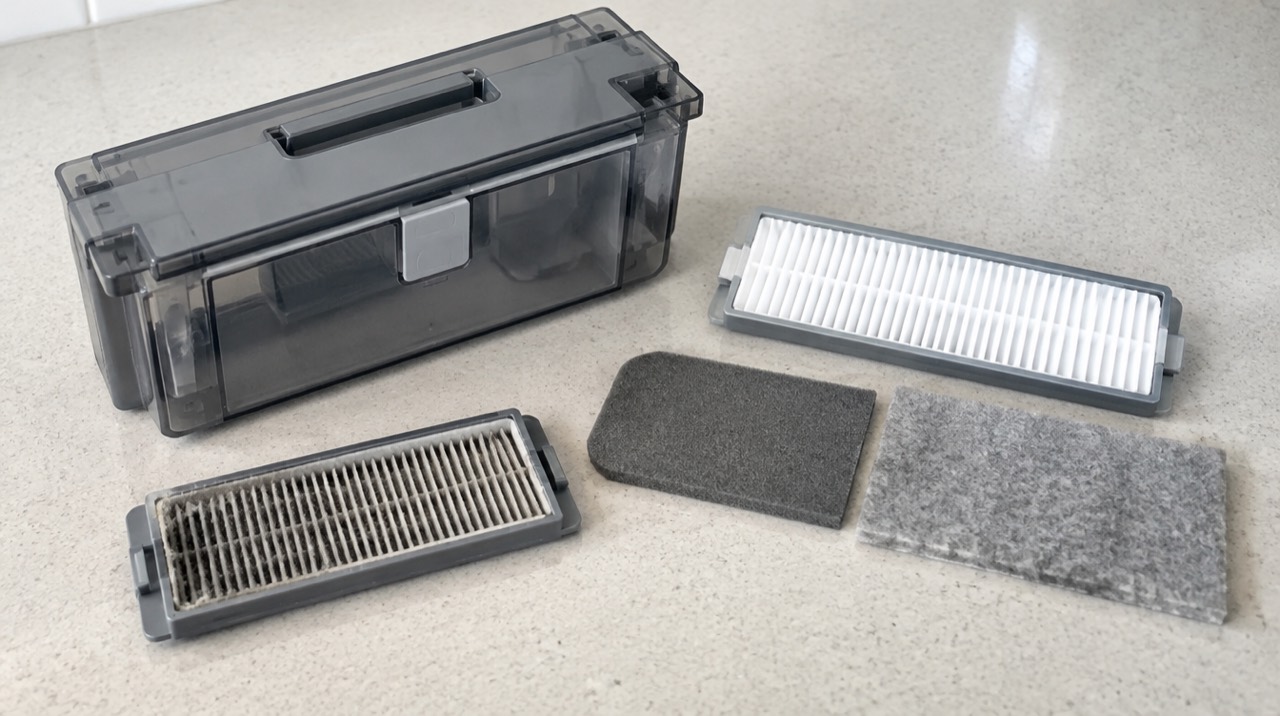
The robot is the cheap part over time; filters, side brushes, main brushes and mop pads are what you buy again. iRobot’s 115X listing, for example, says to replace filters and brushes every 3 to 6 months. Before you buy, check that replacement filters and pads for that exact model are easy to find. Our free robot vacuum parts schedule tool turns maker intervals into a replacement calendar, and how often to replace robot vacuum filters and brushes lists the intervals by brand.
Mistakes to avoid
- Buying on the biggest Pa number. There is no shared test behind it; compare navigation, mop design and height first.
- A fixed mop with rugs and no map. A gyro robot cannot be told to skip the rug; you will need to lift the mop module or block the rug.
- Ignoring height. A lidar turret adds height; measure under the sofa first.
- Expecting a scrubber. A dragged microfiber pad is a daily damp wipe, not a deep clean for dried spills.
- Using cleaning solution the maker has not approved. Use water or a solution your manual lists; iRobot’s listings, for example, point owners to its list of compatible solutions.
- Forgetting the 2.4 GHz requirement. The Roborock and iRobot models here need a 2.4 GHz Wi-Fi network for setup.
Frequently asked questions
What is the best budget robot vacuum and mop combo?
For most homes with more than two or three rooms, an entry-level lidar combo such as the Roborock Q7 L5 is the safest budget pick, because lidar mapping gives room-by-room cleaning, no-go zones and saved maps. For a small apartment where you mainly want daily dust and a light damp wipe, a gyro robot such as the uninell UR1 covers the basics with a lower body height.
Is lidar worth paying more for on a cheap robot vacuum?
Usually yes if you have several rooms, rugs you want the mop to skip, or furniture you want fenced off. Lidar robots build a saved map, so they can clean by room and respect no-go zones. Gyro robots clean in methodical rows but generally cannot do room selection or virtual walls.
Do budget robot mops actually scrub?
Most budget combos drag a damp microfiber pad fed from a small water tank. That lifts dust and light footprints on sealed hard floors but is not the same as a spinning or vibrating scrubber. Treat it as a daily damp wipe, not a replacement for mopping dried spills.
Will a budget robot mop wet my rugs?
A robot with a fixed mop pad and no pad lift will drag the damp pad over rugs unless you remove the mop module or block the rug off. Lidar models such as the Roomba 105 Combo and Roborock Q7 L5 let you set no-mop or no-go zones in the app; a gyro robot without maps cannot.
How much suction do I need in a budget robot vacuum?
Suction in pascals (Pa) is a maker's claim with no shared test method, so 5,000 Pa on one robot is not directly comparable with 8,000 Pa on another. Brush design, carpet boost and how well the robot covers the floor matter as much. Use Pa as a rough tier, not a ranking.
What maintenance does a budget robot vacuum and mop need?
Empty the bin after most runs, wash the mop pad after each mopping run, clean the filter regularly and replace filters, side brushes and the main brush on the maker's schedule. Our free robot vacuum parts schedule tool turns those intervals into dates.
Keep reading
- Lidar vs Camera vs Gyro Robot Vacuum Navigation
Lidar vs camera vs gyro robot vacuum navigation: how each one finds its way, what it can and cannot do, and which suits your home's size, lighting and clutter.
Updated Nov 2026 - Robot Vacuum Suction (Pa) Explained: What the Number Means
What robot vacuum suction in Pa actually measures, why 8,000 Pa on one robot is not 8,000 Pa on another, and what to compare instead before you buy.
Updated Nov 2026 - Shark IQ Filter Replacement: Which Filter Fits and When
Shark IQ filter replacement: the three filters in an IQ Self-Empty robot and base, Shark's part numbers and intervals, and what to know about non-Shark filters.
Updated Nov 2026